Best Job Costing Software for Roofing Contractors in 2026: 8 Tools Compared

Job Costing Software for Roofing Contractors: 8 Tools Compared for 2026
Here's the problem with most job costing software: it only works if you do the work.
You have to manually code every materials order. Tag every receipt from ABC Supply. Enter labor hours by job. Update budgets when change orders happen. And if you miss something—or your crew forgets to log a run to the supplier—your job costs are wrong. Your margins are wrong. Your bids are wrong.
Roofing contractors know this pain better than most. Between storm damage claims, material price swings, sub crews bouncing between jobs, and the constant back-and-forth with insurance adjusters, tracking costs by job feels impossible. Your P&L says you're profitable. Your bank account says otherwise.
That's changing. AI-powered job costing tools are finally automating the grunt work—auto-tagging transactions, capturing receipts via text, posting labor costs without manual entry. The result: real job margins without the admin overhead.
This guide compares eight job costing tools for roofing contractors in 2026. You'll see what each one does, where it fits, and—most importantly—how much manual work it actually eliminates.
How We Evaluated These Tools
We looked at each tool through the lens of a roofing contractor who's running crews, not spreadsheets.
Criteria we used:
- How automatically does it capture job costs?
- Does it handle materials, labor, AND subs?
- How does it track budget vs actuals?
- QuickBooks integration quality
- Works with roofing CRMs (AccuLynx, JobNimbus, Roofr)?
- AI features that actually reduce manual work
The goal: find tools that give you accurate job margins without requiring your office manager to become a full-time bookkeeper.
1. Latch
Best for: Roofing contractors who want AI to do the job costing for them—not just store the data
Most job costing tools show you your costs. Latch figures them out for you.
Latch uses five AI agents that work in the background to capture every cost on every roofing job—without manual entry:
Transaction Tagging Agent — Monitors QuickBooks in real time. When an ABC Supply order or sub payment hits, the AI identifies which job it belongs to and tags it automatically. High-confidence matches post instantly. Low-confidence ones get texted to you: "$2,847 at ABC Supply—Johnson re-roof or the Henderson tear-off?" You reply with a number. Done.
Receipt Capture Agent — Text a photo of any receipt to Latch. The AI reads it, asks which job, and posts it in seconds. If a receipt pushes you over budget, you get an alert before it posts. No more lost receipts from supply runs.
Labor Cost Agent — For sub crews, text a photo of the check. The AI reads the memo line and posts it to the right job. For your own crews, it pulls from AccuLynx, JobNimbus, or runs weekly SMS check-ins to capture hours by job.
Change Order Agent — Connects to your roofing CRM. When a CO is approved—extra decking discovered, upgraded shingles, additional flashing—the budget updates automatically and you get a text with the new projected margin.
Bid-to-Actual Agent — Fires when a job closes. Compares every line of your estimate against actuals: shingles, underlayment, labor hours, dump fees, everything. Generates a plain-language variance report. Those learnings feed your future bids.
What makes Latch different:Other tools require you to code transactions. Latch codes them for you. Other tools require you to enter labor hours. Latch captures them via text or CRM sync. Other tools show you budget vs actual at month-end. Latch shows you in real time—with alerts at 75% and 90% of budget.
The moat is the agent layer. AI does the work, not your office staff.
Pricing: Starts at $495/month. Job costing + bookkeeping packages available.
🎯 Want to see how Latch auto-tracks your roofing job costs?
We'll show you how the AI agents work with your specific workflow—including your CRM, QuickBooks, and supplier accounts.
2. AccuLynx
Best for: Roofing contractors who want job costing inside their existing roofing CRM
AccuLynx is the dominant CRM in roofing, and it includes basic job costing features. You can track revenue and expenses by job, manage invoicing, and see profit forecasts as jobs progress.
Strengths:
- Built specifically for roofing contractors
- Ties job costs to your existing production workflow
- Material ordering integrations
- Payment processing built in
Limitations:
- Job costing requires manual entry of expenses
- No AI auto-tagging of transactions
- QuickBooks sync can be clunky (per user reviews)
- Better at CRM than accounting
Pricing: Custom quotes based on company size.
Bottom line: If you're already in AccuLynx and want basic job tracking, it works. But you're still manually entering costs—and for real financial visibility, most contractors supplement with dedicated accounting tools.
3. JobNimbus
Best for: Roofing and exterior contractors who want CRM + project management with light financials
JobNimbus is popular among roofing contractors for its ease of use and workflow automation. It includes budgeting and job costing features, though they're more basic than dedicated accounting tools.
Strengths:
- Clean, modern interface
- Good mobile app for field use
- Workflow automation saves time
- Integrates with QuickBooks
Limitations:
- Job costing is manual entry
- Financial features are secondary to CRM
- No AI automation for cost capture
- Need to supplement for serious accounting
Pricing: Starts at $150/month for Growing plan.
Bottom line: Good CRM that includes budgeting features. Not a replacement for real job costing—more of a starting point.
4. Buildertrend
Best for: Larger roofing operations that also do remodeling or new construction
Buildertrend is a comprehensive construction management platform. While it's more common among home builders, some larger roofing contractors use it for its project management and financial tracking.
Strengths:
- Full project lifecycle management
- Client portal for transparency
- Estimating flows into budgets
- Large user community
Limitations:
- Overkill for roof-only contractors
- Job costing requires manual setup and discipline
- Starts at $499/month—expensive
- Mobile app has reported issues
Pricing: Starts at $499/month.
Bottom line: Makes sense if you're doing new construction or major remodels alongside roofing. For roof-only operations, it's more complexity than you need.
💡 Spending hours coding materials and labor manually?
We'll review your current workflow and show you exactly how much time AI job costing could save you each week.
5. Knowify
Best for: Trade contractors who want job costing tied to project management
Knowify is a solid mid-market option that combines job costing with estimating, scheduling, and invoicing. It works for roofing contractors, though it's not roofing-specific.
Strengths:
- Tracks costs by project, phase, and cost category
- Bi-directional QuickBooks sync
- WIP reporting built in
- Good for progress billing
Limitations:
- Still requires manual cost coding
- No AI auto-tagging of transactions
- Not roofing-specific
- You're entering data, not having it captured for you
Pricing: Starts at $99/month.
Bottom line: If you want project management + job costing and don't mind manual entry, Knowify works. If you want automation, keep looking.
6. Roofr
Best for: Roofing contractors focused on measurement and estimating (with basic financials)
Roofr started as a measurement and proposal tool and has expanded into CRM and basic financials. It's popular for satellite measurements and quick estimates.
Strengths:
- Fast roof measurements without site visits
- Professional proposals
- Growing feature set
- Integrates with QuickBooks
Limitations:
- Financial features are basic
- Not a job costing solution—more estimating-focused
- Requires external tools for real accounting
- Best paired with other software
Pricing: Plans start at $89/month.
Bottom line: Great for estimating and measurements. Not a substitute for job costing—you'll need to pair it with accounting tools.
7. Foundation Software
Best for: Larger roofing contractors who need ERP-level job costing tied to payroll
Foundation has been in construction accounting for decades. It's known for granular job costing, certified payroll, and WIP reporting. Some large commercial roofing operations use it.
Strengths:
- Deep job cost tracking (phases, cost codes, activities)
- Built for construction from the ground up
- Strong payroll and union reporting
- Handles prevailing wage
Limitations:
- On-premise software (not cloud-native)
- Dated interface
- Expensive and complex to implement
- No AI automation
- Overkill for most residential roofing contractors
Pricing: Custom quotes. Implementation can take months.
Bottom line: Works for large commercial roofing operations with complex payroll needs. Way too heavy for residential contractors.
8. Sage 100 Contractor
Best for: Mid-to-large roofing companies needing enterprise accounting with job costing
Sage 100 Contractor (formerly Sage Master Builder) combines accounting with project management. It's used by some established roofing companies that have outgrown QuickBooks.
Strengths:
- Comprehensive construction accounting
- Strong job costing and WIP reporting
- Handles multiple entities
- Been around for decades
Limitations:
- Steep learning curve
- Requires dedicated staff to operate
- No AI or automation
- Interface feels dated
- Expensive for smaller operations
Pricing: Starts around $3,000/year plus implementation.
Bottom line: Option for larger roofing companies that need enterprise controls. But it's a system you run, not one that runs itself.
Quick Comparison: Which Tool Fits Your Roofing Business?
If you want...Consider...AI to do job costing for you (zero manual entry)LatchJob costing inside your existing roofing CRMAccuLynxEasy CRM with basic budgetingJobNimbusAll-in-one platform (if you also do remodels/new construction)BuildertrendProject management + job costing for tradesKnowifyFast measurements and estimatesRoofrEnterprise job costing with certified payrollFoundationTraditional construction accountingSage 100
What Actually Matters in Job Costing for Roofing
Here's what separates tools that work from tools that collect dust:
Automation, not just tracking. Any software can store your costs. The question is: who's entering them? If it's you or your office manager manually coding every shingle order and labor hour, adoption will be inconsistent and data will be incomplete.
Real-time visibility. Month-end job costing is too late. By the time you see the margin problem, the job is done and paid. Real-time budget alerts let you course-correct while there's still time—before that "small" decking issue eats your profit.
Labor cost capture. Materials come with invoices. Labor is harder. Your biggest expense category—especially sub crews—is a black hole unless you have a system that captures hours by job automatically. Text a photo of the check beats chasing down foremen for hours.
Handles the chaos of roofing. Storm damage claims, insurance supplements, material price swings, change orders mid-job. Your job costing tool needs to handle the reality of roofing, not a sanitized version of construction accounting.
QuickBooks integration that actually works. Most roofing contractors use QuickBooks. Your job costing tool should sync with it cleanly—not require double entry or clunky exports.
The Roofing-Specific Problem
Here's what generic construction accounting misses about roofing:
Insurance jobs are different. Between the original scope, supplements, and deductibles, an insurance job can have three or four different "budgets" before it's done. Your job costing needs to track all of them.
Material waste is real. Shingles come in bundles. Starter strip and ridge cap have different yields. Waste factors vary by roof complexity. If your job costing doesn't account for actual material usage vs estimate, your bid-to-actual comparison is meaningless.
Sub crews move fast. A good tear-off crew can do two or three roofs a day. If you're waiting until month-end to figure out labor costs, you've already lost track.
Weather delays cost money. A job that takes three days instead of one doesn't just cost more labor—it throws off your whole schedule. Real-time job costing helps you see the impact before it compounds.
The Bottom Line
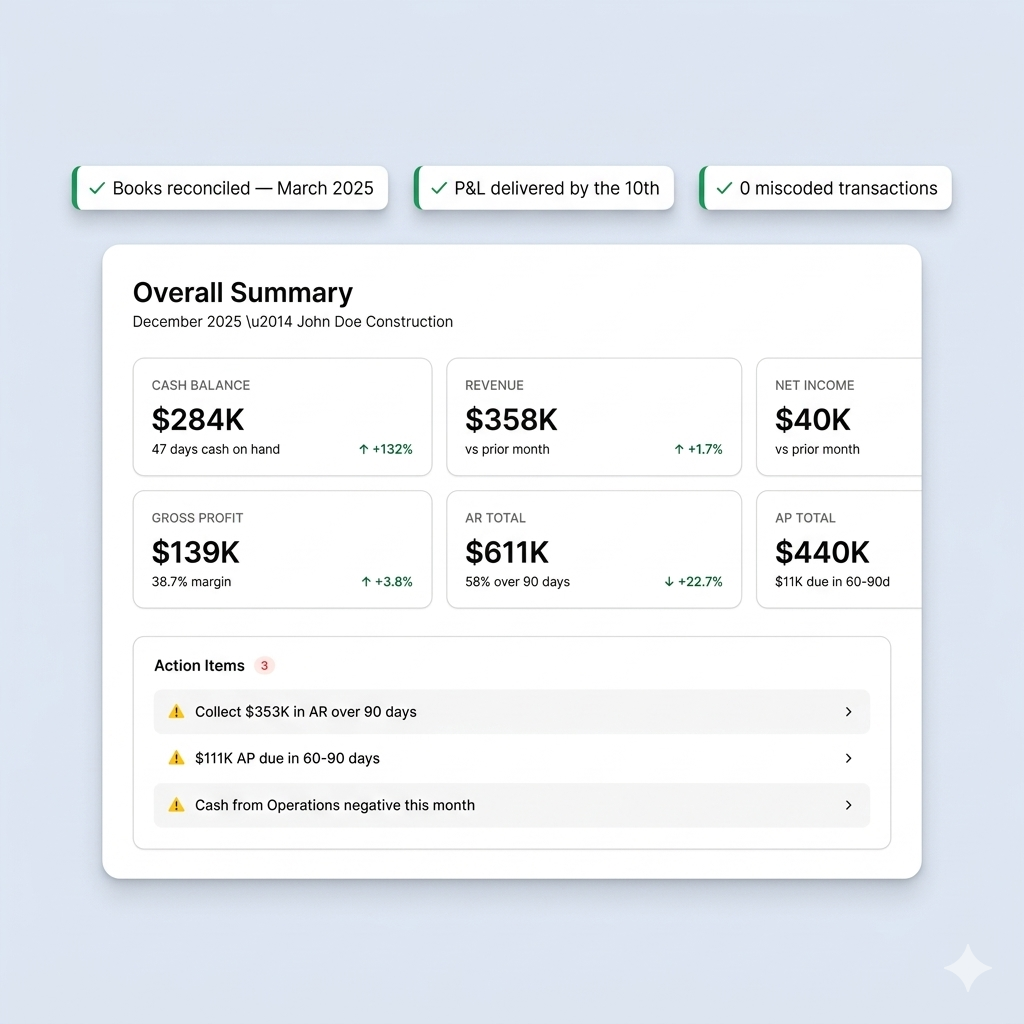
If you're still tracking job costs manually—or not tracking them at all—you're guessing at your margins. And bad guesses show up as empty bank accounts while your P&L shows profit.
The question isn't whether you need job costing. It's how much manual work you're willing to do to get it.
If you want a tool that does the work for you—auto-tagging transactions, capturing receipts via text, tracking labor without timesheets, alerting you before budgets blow—Latch is built for that.
Ready to see real job margins on every roof?
We'll show you how Latch's AI agents capture every cost on every job—so you can focus on running crews instead of coding transactions.
FAQs
What is job costing software for roofing contractors?Job costing software tracks materials, labor, equipment, and subcontractor costs by individual roofing job. It helps you see which jobs are actually profitable and which ones are losing money—even if they looked good on the estimate.
Why is job costing so hard for roofing contractors?Because roofing moves fast and costs come from everywhere. Materials from multiple suppliers, sub crews on different jobs each day, dump fees, equipment rentals, change orders. Every cost needs to be coded to the right job. Most roofing contractors don't have time to do this consistently—so their job cost data is incomplete.
Can QuickBooks handle job costing for roofing?QuickBooks supports basic job costing, but it requires manual coding and lacks roofing-specific features like real-time budget alerts, automated cost capture, and integration with roofing CRMs. Most roofing contractors layer specialized tools on top of QuickBooks.
Does AccuLynx do job costing?AccuLynx includes basic financial tracking and profit/loss by job. However, it requires manual entry of expenses and isn't a full accounting solution. Most AccuLynx users still need QuickBooks or another accounting system for complete financial visibility.
What's the difference between job costing and regular bookkeeping?Regular bookkeeping tracks company-level income and expenses. Job costing tracks those same costs at the individual job level—so you can see margin by roof, not just overall profit.
How does Latch handle job costing for roofing contractors?Latch uses five AI agents to automatically capture job costs: transactions are auto-tagged in QuickBooks, receipts are captured via text or email, sub payments are posted from check photos, change orders update budgets automatically, and closed jobs generate variance reports that improve future bids. It integrates with roofing CRMs like AccuLynx and JobNimbus.
How much does job costing software cost for roofers?Pricing ranges from $89/month (Roofr, basic features) to $499+/month (Buildertrend, Foundation). Latch starts at $495/month with combined job costing and bookkeeping.
Which job costing software is best for residential roofing contractors?For residential roofing contractors who want automation without complexity, Latch is the only option that captures costs automatically via AI. AccuLynx and JobNimbus work if you want job tracking inside your CRM and don't mind manual entry.
🚀 Join roofing contractors who stopped guessing at their margins.